Keep your curriculum and your tools.We run the online classroom around them.
Peer Programming is a free platform for programs where volunteers teach students to code online. Attendance, volunteer hours, parent access and safety are built in, so your volunteers can get on with teaching.
Your instructors teach. Attendance and volunteer hours are recorded along the way.
- 1
Start the session
An instructor presses Start session, and a Google Meet opens for the class.
- 2
Students join
Students press Join on the class page. Members only see the meeting link once the session has started.
- 3
Attendance comes from the call
Names from the Google Meet call are matched to the people in your class. If a name is left over, you can link it to the right person.
- 4
Hours go on each volunteer's record
The same attendance records count each instructor's volunteer hours, so nobody has to log them by hand.
- 5
A certificate anyone can check
Each volunteer can download a volunteer-hours certificate. Anyone can check it by its code at peerprogramming.org/verify.
The same protections in every class.
Moderation stays with Peer Programming. Every class has these from its first session.
How we keep classes safeA new meeting link
If someone uninvited joins the call, the instructor presses New meeting link. The call ends, and the class presses Join to get into a new room without them.
No classmate list
Students can only message the class's instructors, and they never see a list of their classmates in the app.
Any message can be reported
Anyone can report a message with the red megaphone icon, and our moderators read every report.
A moderator gets every link
A Peer Programming moderator is emailed the link to every class session and may join.
Removed means removed
An instructor can remove a student from the class. That student can't rejoin, from the class list or with a link or code, until you lift the removal.
Parents can see what their child sees. Student information stays private.
- We get a parent's verified consent before an account for a child under 13 is created, as COPPA requires.
- Parents can review or delete their child's data at any time.
- A parent who links their account to their child's can read their child's chats, including class chats, but never gets the meeting link for a group session.
- We never sell student information.
What your organization sees
For each student who joins one of your classes: their name, their email address, and their RSVPs and attendance in that class. It's used only to run that class.
Our privacy policy sets out exactly who sees what.
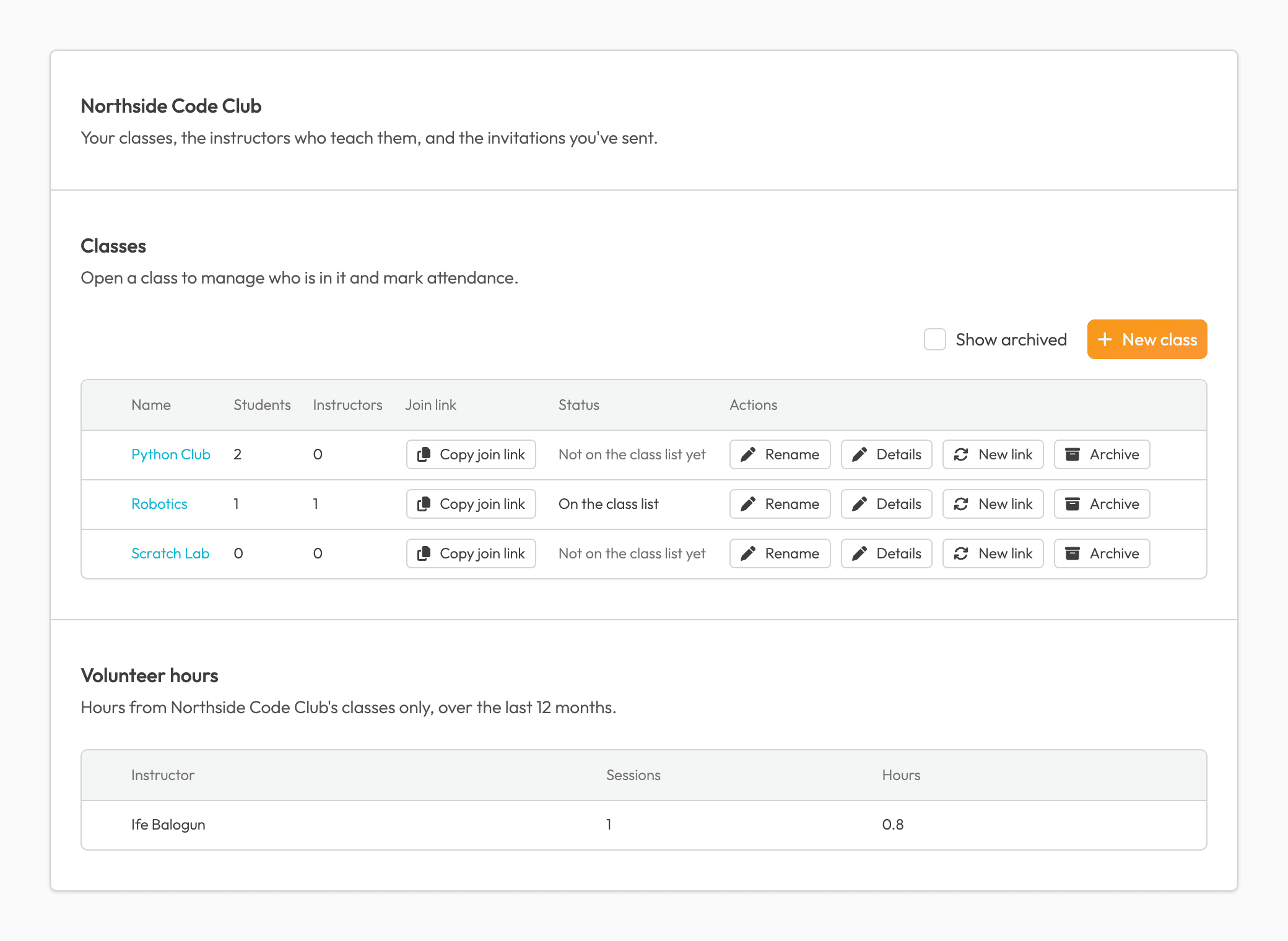
Run your classes from your own console in the app.
Classes and members
Create, rename and archive classes. See who's in each one, and remove a member if you need to.
Your instructors
Before your first class, we review your organization and how you screen your instructors. Then you invite them by email: your invite is your vouch, so you choose who teaches your classes. To teach Peer Programming's own classes, they'd still need our interview.
Link-only or listed
Keep a class link-only, or put it on the class list in the app. Your classes start off the list. You can copy a class's join link or give it a new code at any time.
Attendance and hours
See who came to each session and link any names from the call. See the last 12 months of volunteer hours for your classes.
Moderation stays with Peer Programming, and your admins can't read class chats unless they teach the class.
Free 1-on-1 help alongside your classes.
Your students can also request free 1-on-1 tutoring from our volunteer instructors. They book a 15-minute call with us, we pair them with an instructor, and they meet on Google Meet at times they agree on.
Let's set it up together.
We set it up with you, train your team, and are around during class times. It's free.
Talk to usOr email [email protected]